
Download Friendbar – Free Facebook & Twitter Toolbar for Firefox
Friendbar is a lightweight Firefox add‑on that brings your Facebook and Twitter streams directly into the browser toolbar. By turning the constant need to open separate tabs into a single, scrollable feed, Friendbar helps power users stay up‑to‑date without interrupting their browsing flow. The extension offers two size settings, customizable message limits, speed controls, and optional sound alerts, making it adaptable to both casual social media fans and heavy‑traffic network managers. Whether you want to post a quick status, retweet a message, or simply watch the latest updates glide by, Friendbar packs a surprising amount of functionality into a modest toolbar, all while keeping the core Firefox experience intact.
What Friendbar Offers: Core Features and User Benefits
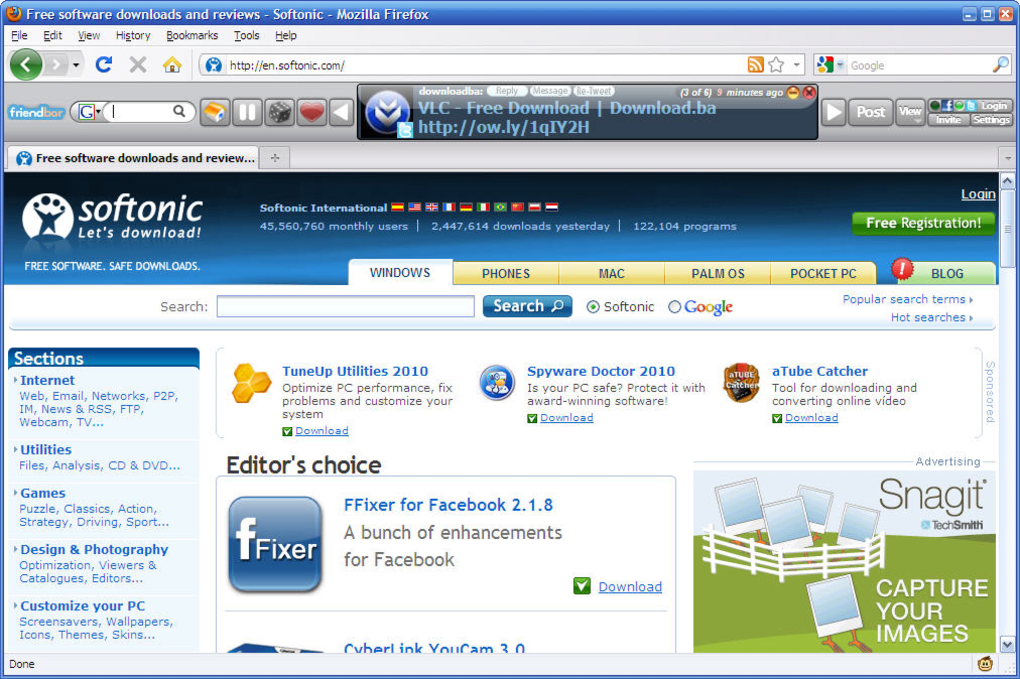
- Dual‑feed display: Simultaneously view Facebook posts and Twitter tweets in one scrolling bar.
- Adjustable thickness: Choose between a compact view for minimal screen impact or a larger photo‑rich layout.
- Message count control: Set the exact number of posts shown at any time, from a single headline to a full stream.
- Speed & animation settings: Fine‑tune how quickly the feed cycles, from a gentle crawl to a rapid scroll.
- Sound notifications: Enable optional alerts for new messages, perfect for real‑time monitoring.
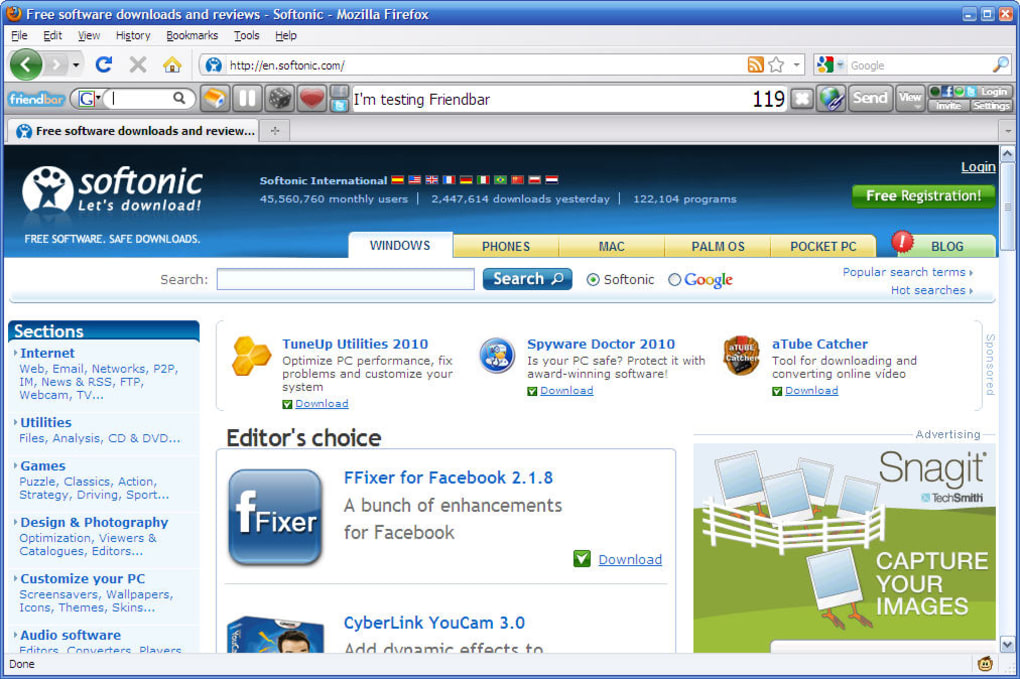
- One‑click posting: Tweet or update your Facebook status directly from the toolbar without opening extra tabs.
- Integrated message buttons: Reply, like, or retweet with a single click; Facebook messages open a dedicated tab for deeper interaction.
- Search capability: Perform Twitter searches or Google searches straight from the Friendbar interface.
- API efficiency: Uses more efficient API calls for faster loading, especially useful for large Facebook accounts.
- Selective network activation: Choose to display only Twitter, only Facebook, or both, reducing visual clutter.
- Regular updates & bug fixes: Continuous development ensures compatibility with the latest Firefox releases.
Pros
- Instant access to two major social platforms without leaving the current page.
- Highly customizable feed size, speed, and notification options.
- Supports simultaneous posting to both networks, saving time.
- Lightweight design that doesn’t noticeably slow down Firefox.
- Free to download and use, with no hidden subscription fees.
Cons
- Constant scrolling can become distracting for users who prefer a static interface.
- Large Facebook accounts may generate a high volume of updates, potentially overwhelming the toolbar.
- Some features (e.g., Facebook messaging) still open a new tab, breaking the “single‑pane” promise.
- Limited to Firefox; no native support for Chrome, Edge, or mobile browsers.
- Occasional latency when the API rate limit is reached during peak hours.
How to Install, Configure, and Get the Most Out of Friendbar
Installing Friendbar is a straightforward process that takes less than two minutes. Follow these steps to have the toolbar up and running:
- Open the Firefox Add‑ons Manager: Click the three‑line menu in the upper‑right corner, select “Add‑ons and Themes,” then choose “Extensions.”
- Search for “Friendbar”: Use the search field and type “Friendbar.” The official add‑on should appear at the top of the results.
- Click “Add to Firefox”: Review the permissions (access to your Facebook and Twitter accounts) and confirm the installation.
- Restart Firefox (if prompted): Most modern versions apply changes immediately, but a quick restart ensures the toolbar loads correctly.
- Log in to your social accounts: The first time you use Friendbar, you’ll be prompted to authorize access to Facebook and Twitter. Follow the OAuth flow for each platform.
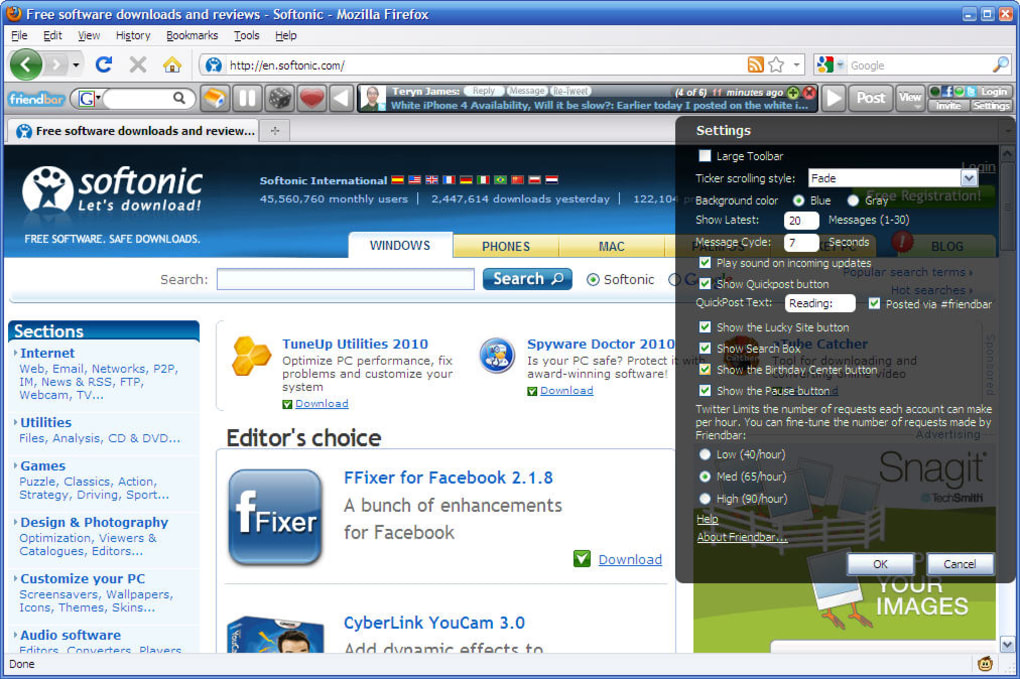
Once installed, you can fine‑tune the experience through the Friendbar settings panel, reachable by right‑clicking the toolbar and selecting “Options.” Here’s a quick guide to the most useful adjustments:
- Toolbar Thickness: Switch between “Compact” (thin line with small avatars) and “Large” (bigger photos for visual emphasis).
- Number of Messages: Choose from 1 to 20 items displayed simultaneously; lower numbers reduce distraction.
- Cycle Speed: Set the scroll interval from 2 seconds (fast) to 10 seconds (slow) depending on how quickly you want updates to appear.
- Sound Alerts: Enable a subtle chime for new tweets or Facebook posts; perfect for monitoring live events.
- Network Filters: Toggle “Twitter only,” “Facebook only,” or “Both” to keep the feed relevant.
- Search Integration: Type a keyword in the embedded search box and select whether to query Twitter or Google.
Frequently Asked Questions
Is Friendbar compatible with the latest Firefox versions?
Yes. The developer releases regular updates to ensure full compatibility with the current Firefox release cycle.
Can I use Friendbar on a Mac or Linux system?
Absolutely. Friendbar runs wherever Firefox does, so macOS, Windows, and most Linux distributions are supported.
Does Friendbar store my login credentials?
No. The add‑on uses OAuth tokens provided by Facebook and Twitter, which are stored securely by Firefox and never exposed to the add‑on code.
What should I do if the feed freezes or stops updating?
First, try refreshing the toolbar via the “Reload Feed” button in the options panel. If the issue persists, disable and re‑enable the add‑on, or check for a newer version in the Firefox Add‑ons store.
Is there a way to limit data usage for bandwidth‑constrained connections?
Yes. In the settings, you can turn off image loading, which reduces the feed to text‑only updates and significantly cuts bandwidth consumption.
System Compatibility, Requirements, and Performance Insights
Friendbar is designed to work on any platform that supports the Firefox browser, making it an excellent choice for users on Windows, macOS, and Linux. The add‑on does not require any additional software or libraries; it leverages Firefox’s built‑in extension framework and the official APIs of Facebook and Twitter.
Operating System Support: Windows 7/8/10/11, macOS 10.12+, and major Linux distributions (Ubuntu, Fedora, Debian, etc.)
Hardware Requirements: Minimal – the toolbar consumes less than 5 MB of RAM and negligible CPU cycles when idle. Even on older machines, the impact is barely perceptible.
Performance Tips: To keep Friendbar running smoothly, especially with large Facebook friend lists, consider the following:
- Limit the displayed message count to 5–10 items.
- Disable avatar images if you experience lag on slower connections.
- Use the “Twitter only” mode when you primarily need real‑time micro‑blog updates.
Final Verdict – Should You Download Friendbar Today?
Friendbar delivers on its promise of a unified, constantly refreshed social feed right inside Firefox. For users who spend a lot of time in the browser and need quick glance‑level awareness of their social streams, the add‑on offers a compelling mix of convenience, customization, and free access. The primary trade‑off is the potential for distraction—if you find moving feeds disruptive, you may prefer a more static notification system.
Overall, the balance of features, low resource usage, and seamless posting capabilities makes Friendbar a solid choice for power users, social media managers, and anyone who wants to stay connected without juggling multiple tabs. If you’re ready to streamline your Facebook and Twitter experience, click the download button below, install the add‑on, and start customizing your feed within minutes.
Pros: Immediate social feed, customizable, lightweight, free.
Cons: Can be distracting, Facebook messages open new tabs, Firefox‑only.







